Orchestration that runs at Rust speed.

Write assets in Python. rivers resolves the graph, plans execution, and runs the scheduler as compiled Rust — so nothing in the control plane waits on a Python interpreter.

pip install rivers
pipeline.py
import rivers as rs

@rs.Asset
def raw_data():
    return {"users": 100, "events": 5000}

@rs.Asset
def summary(raw_data: dict):
    return f"{raw_data['users']} users"

repo = rs.CodeRepository(assets=[raw_data, summary])
repo.materialize()

rivers reads the type-annotated parameters and builds the dependency graph. No wiring step.

  • Assets
  • Tasks
  • Graph assets
  • Partitions
  • Backfills
  • Schedules
  • Sensors
  • Automation conditions
  • Retries
  • Concurrency pools
  • Kubernetes
  • Delta Lake
  • Polars
  • PyArrow
  • SurrealDB
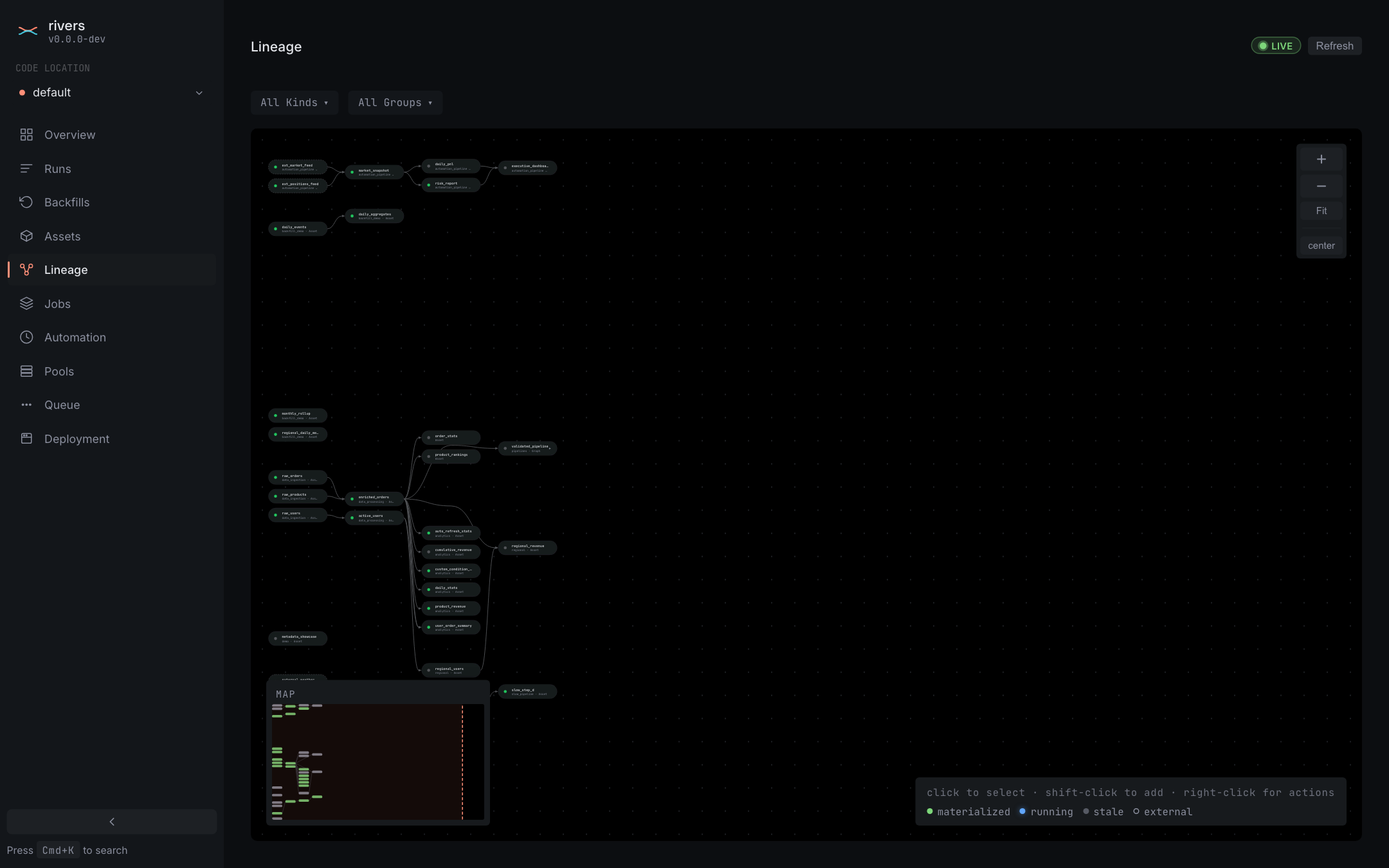
  • Lineage

The control plane is compiled

Most orchestrators run their scheduler, planner, and daemon as Python processes. rivers compiles all of them into one binary. Python only runs inside your own asset code.

ComponentPython orchestratorsrivers
Graph resolutionPythonCompiled Rust (petgraph)
Execution plannerPythonCompiled Rust
Partition mappingPythonCompiled Rust
Daemon: schedules, sensors, automationPythonCompiled Rust, no GIL held
Web UI serverPython plus a JavaScript bundleRust: axum, Leptos, WebAssembly
Kubernetes integrationPython launcherRust operator with CRDs
Python interpreter on the control planeYes, everywhereNone

Plan times stay below a millisecond on graphs with thousands of nodes. See the full comparison

The graph is inferred, not declared

An asset is what your pipeline produces. A task is a step inside one. You wire neither — rivers reads the function parameters, builds the edges, and lineage comes for free.

analytics.py
import rivers as rs @rs.Assetdef sessions(events, users):    return join(events, users)
$ rivers materialize pipelines.analytics✓ materialized
events users sessions report features
0–3s Five lines of Python appear. A decorator and a return — no YAML and no registry call.
3–5s The upstreams resolve and the edges start flowing. The graph was never declared; it was inferred.
5–9s sessions goes hot and the downstream assets light up.

One command starts the whole stack.

No separate webserver and daemon to babysit. No Postgres to provision. No workspace.yaml, and no docker-compose file.

The binary you run on your laptop is the same one that ships to production through the Helm chart.

Getting started
terminal
$ rivers dev pipelines.analytics
  • Embedded SurrealDB on RocksDB — no external database
  • The scheduler daemon, evaluating your automation
  • The gRPC code-location backend on port 3001
  • The web UI on port 3000, in the same process

Built for the parts that usually hurt

Not a feature list. These are the differences you feel in week three.

A daemon per code location

Most orchestrators run one global daemon for every team. One slow sensor stalls everyone's triggers. rivers runs a daemon inside each code location, so a bad tick in one team's repo cannot touch another's.

How isolation works
Pools that survive a crash

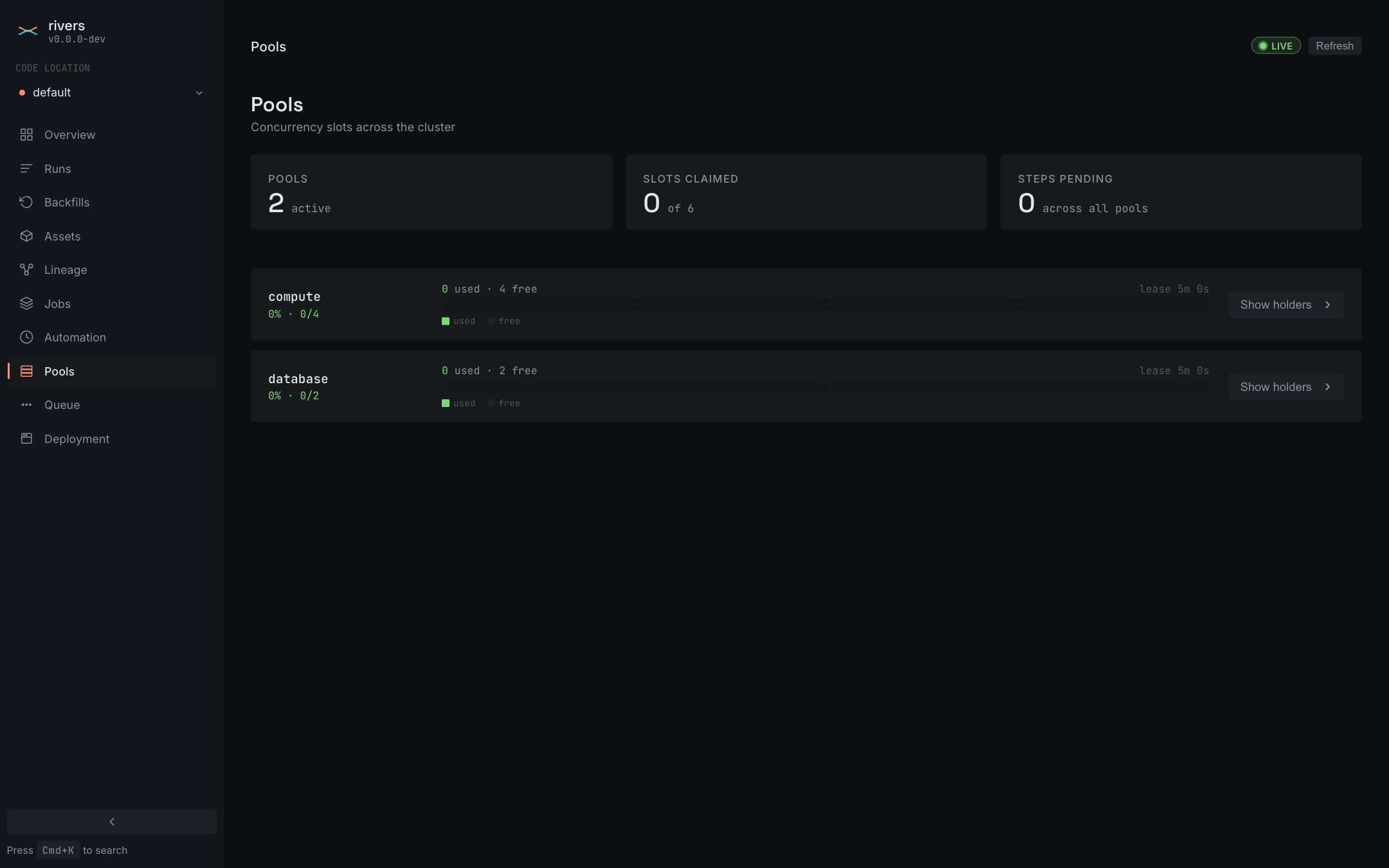
Concurrency pool slots are leases. When a pod is killed mid-step, the lease expires and the slot returns. A dead worker cannot hold your warehouse capacity hostage. One asset can hold several pools at once.

Concurrency

Async assets, for real

Write async def on an asset and rivers awaits it on the tokio event loop. No wrapper and no separate decorator. The parallel executor caps async fan-out separately from its subprocess workers.

Executors

Partitions that mix kinds

Put time-window, static, and dynamic dimensions in the same partition definition, with no cap on dimension count. Cron accepts a seconds field, so partitions and schedules can tick below a minute.

Partitions

Config is just Pydantic

Annotate the context with your model — AssetExecutionContext[MyConfig] — and the type is read from the annotation. No config DSL, no run-config dictionary, and real autocomplete on context.config.

Configuration

Tracing without an add-on

Set OTEL_EXPORTER_OTLP_ENDPOINT and spans flow to your collector. Python logging and context.log bridge into the same subscriber, so per-step log capture needs no setup.

Environment variables

Three things that are usually awkward

Each of these is one annotation in rivers.

incremental.py
@rs.Asset
def running_total(
    self: rs.SelfDependency[int],
    events: list,
) -> int:
    prev = self.get_inner()
    return (prev or 0) + len(events)

Read your own last value

An incremental asset loads its previous output through a typed parameter. There is no graph cycle, and no workaround.

fanout.py
@rs.Task
def double(x: int) -> int:
    return x * 2

@rs.Asset.from_graph()
def doubled():
    m = numbers().map(double)
    return total(m.collect_stream())

Compose tasks into one asset

A graph asset is a sub-DAG of tasks, and each task is its own step. Fan out with .map(); a streaming collect starts downstream work on the first result instead of waiting for the slowest branch.

async.py
@rs.Asset
async def prices():
    return await client.fetch("/prices")

@rs.Asset
def report(prices, inventory):
    return {**prices, **inventory}

Mix async and sync freely

Async assets run as event-loop tasks while sync assets run in subprocess workers, inside the same run.

The whole platform, in one UI

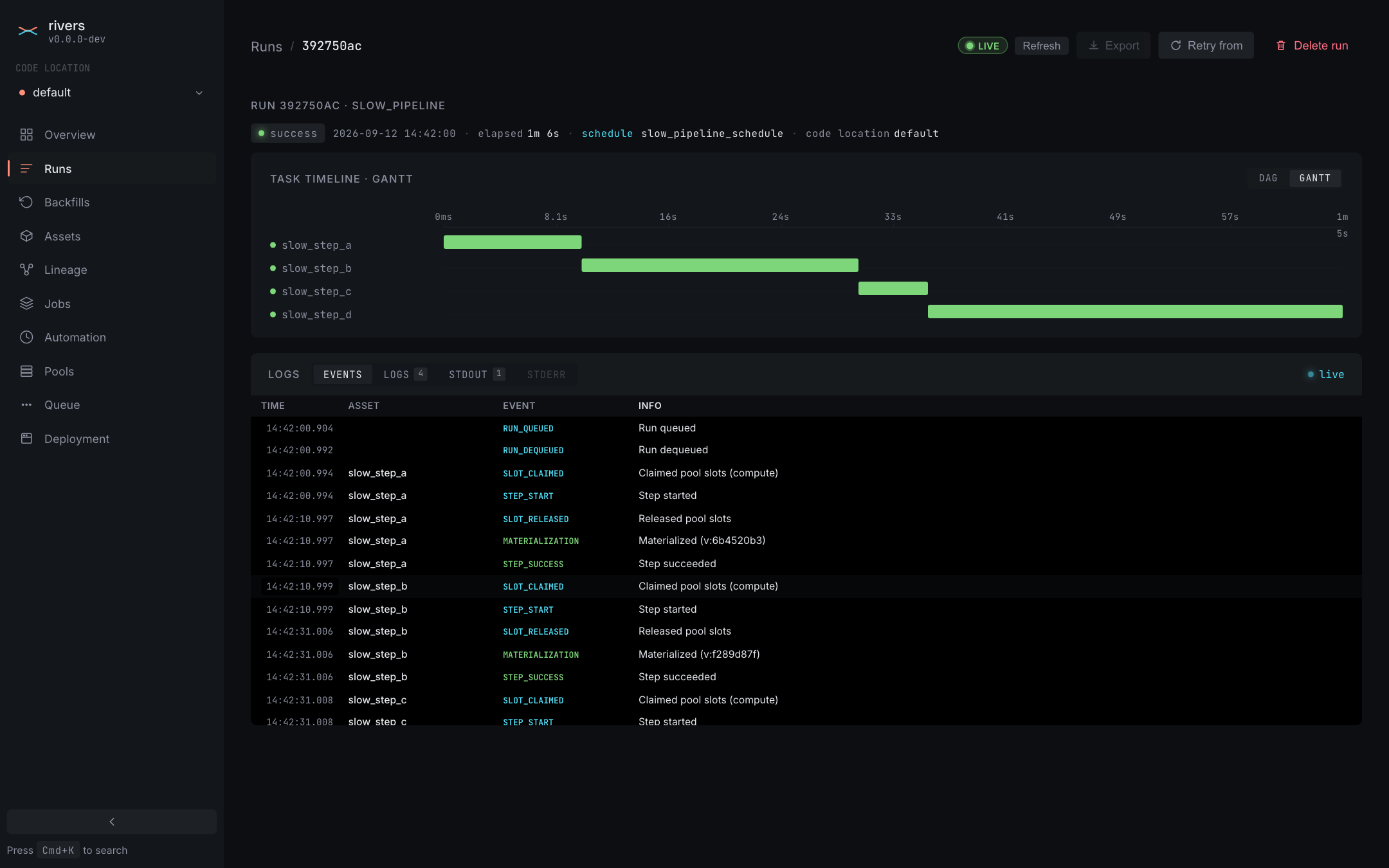
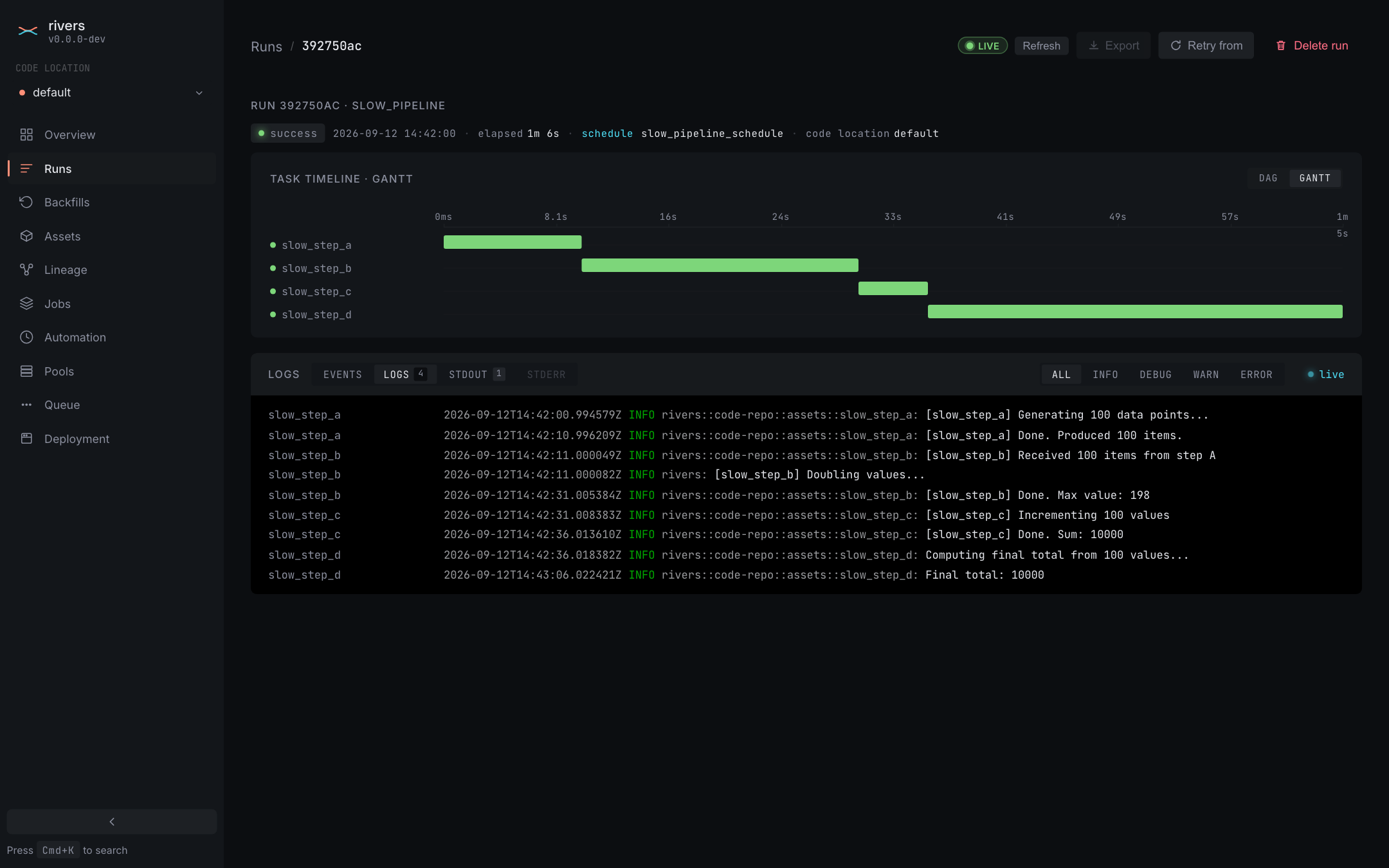
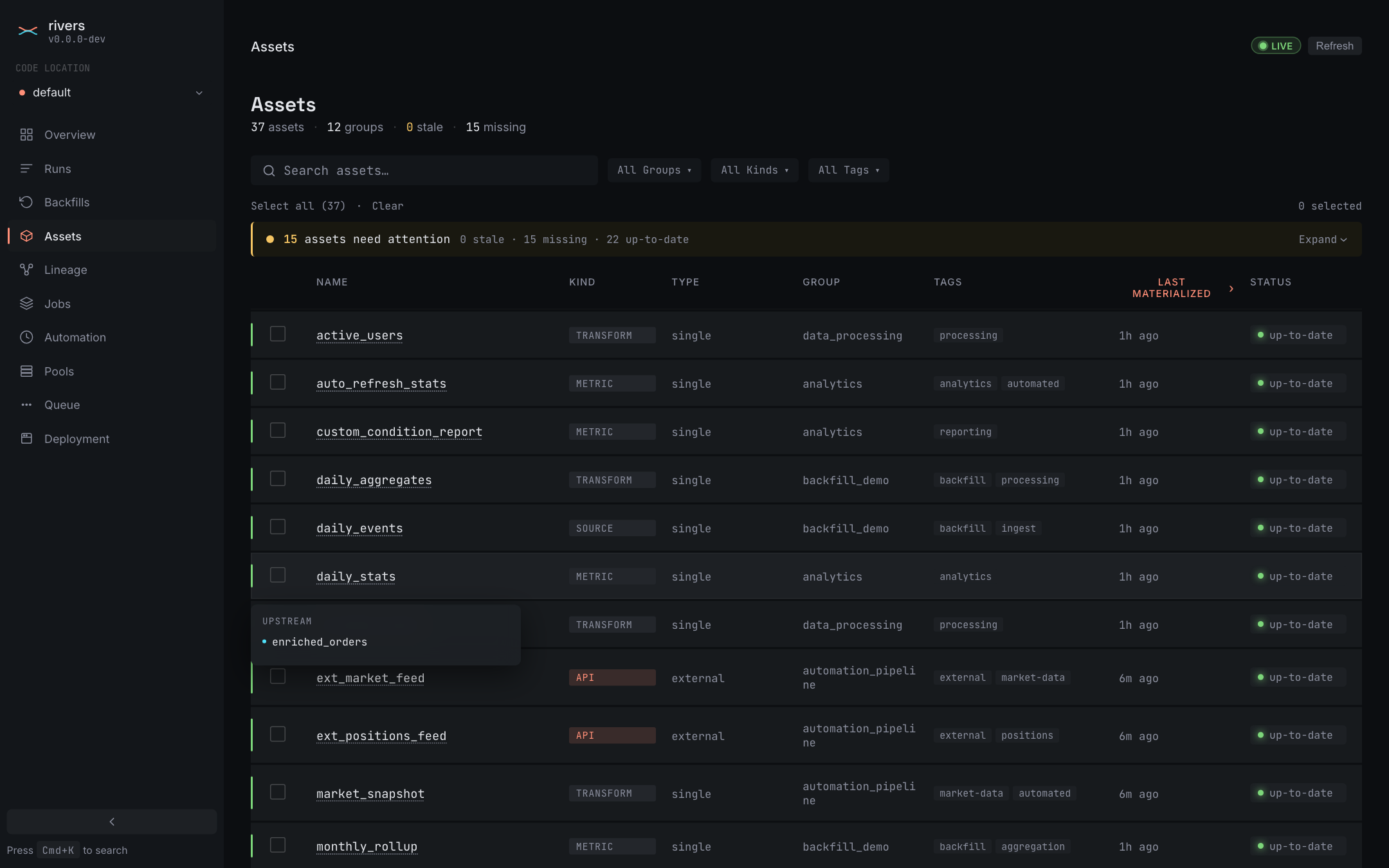
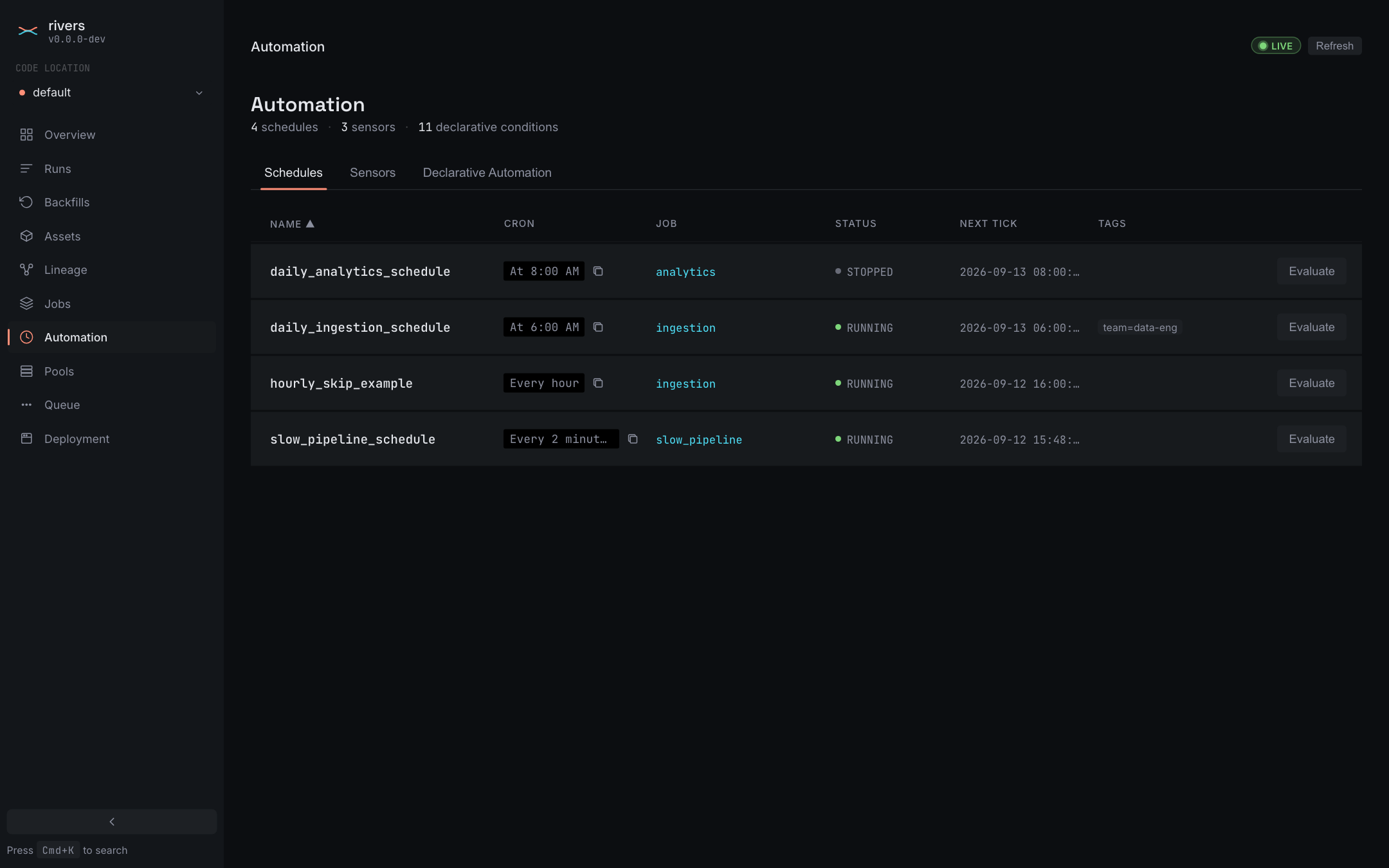
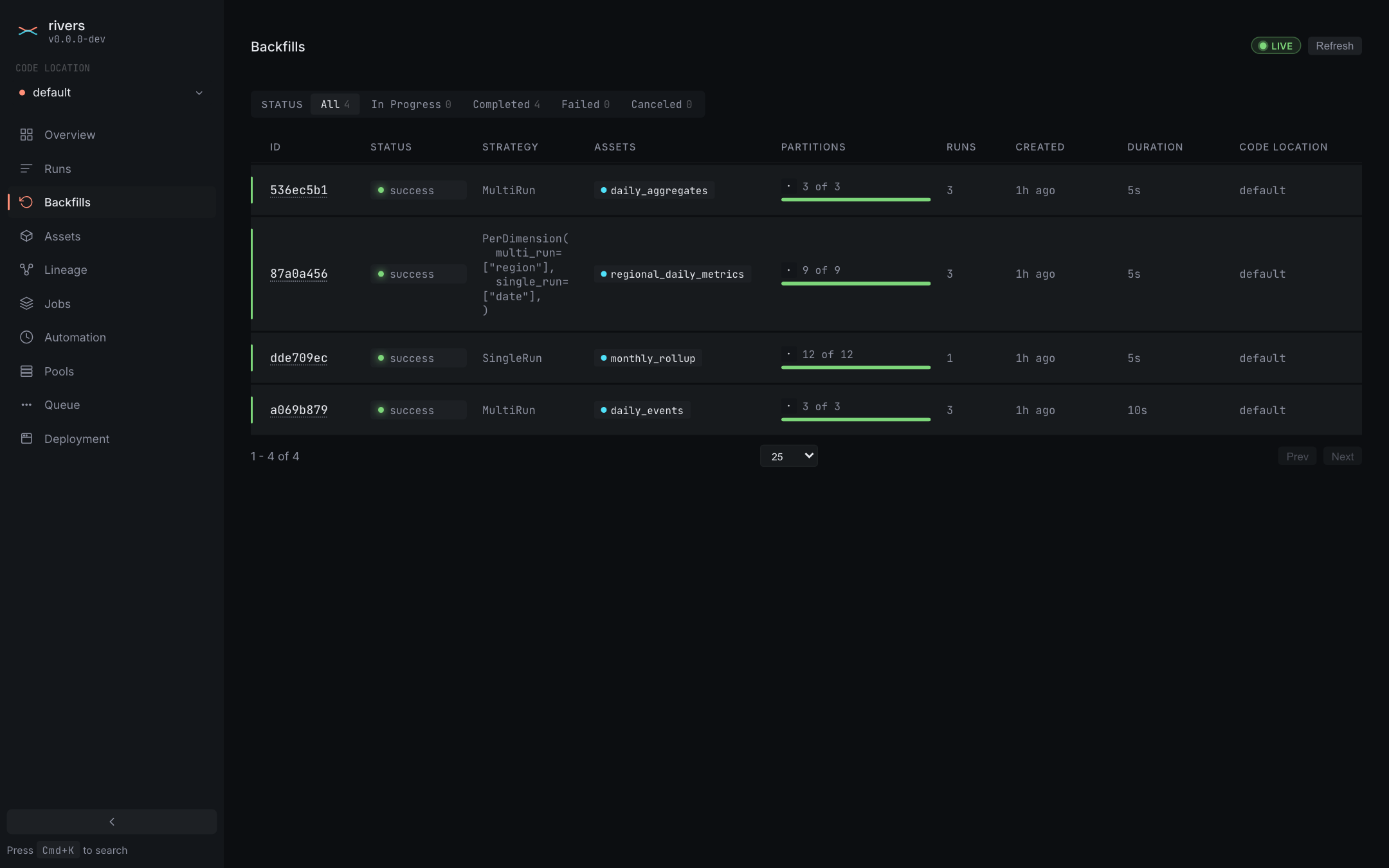
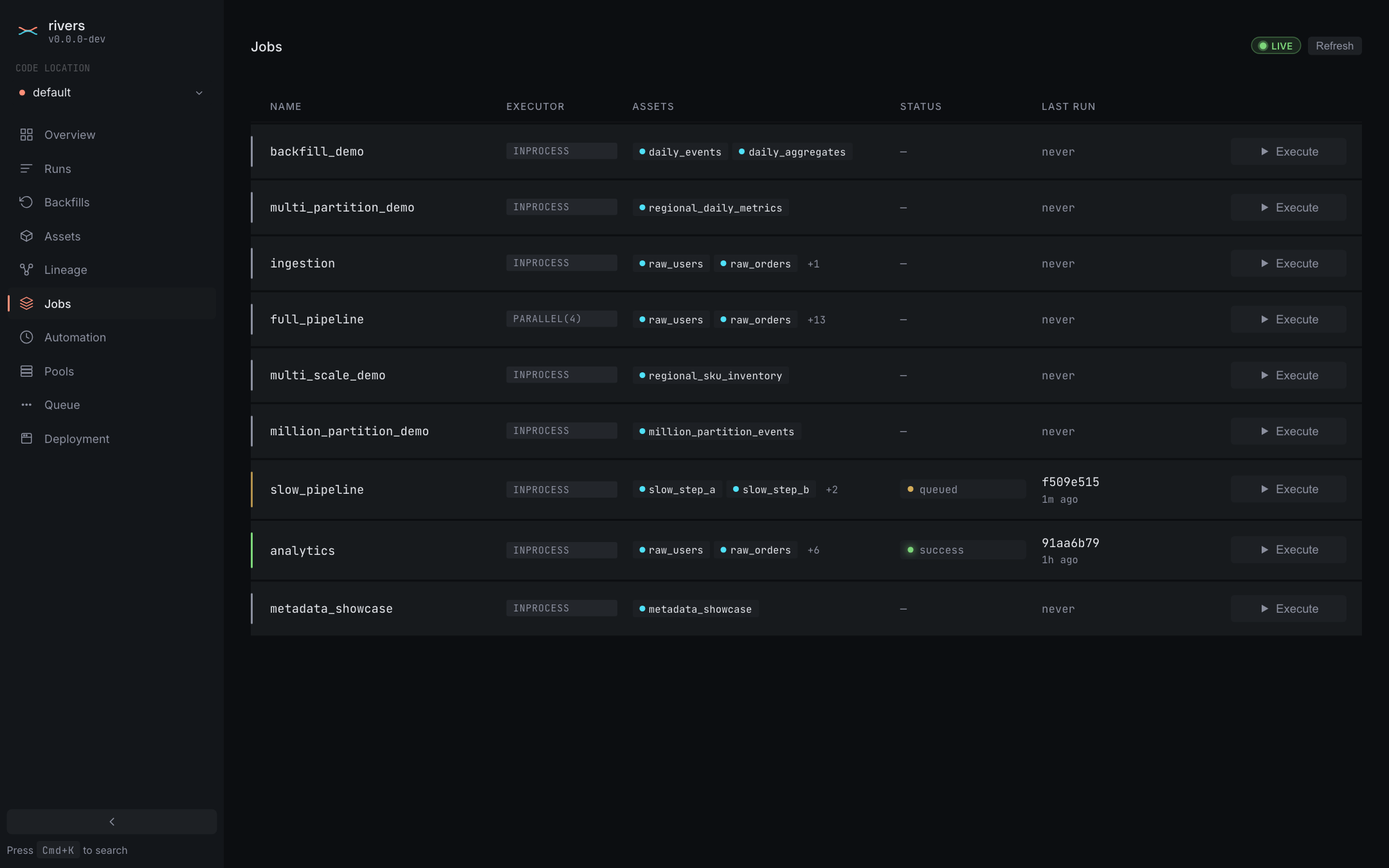
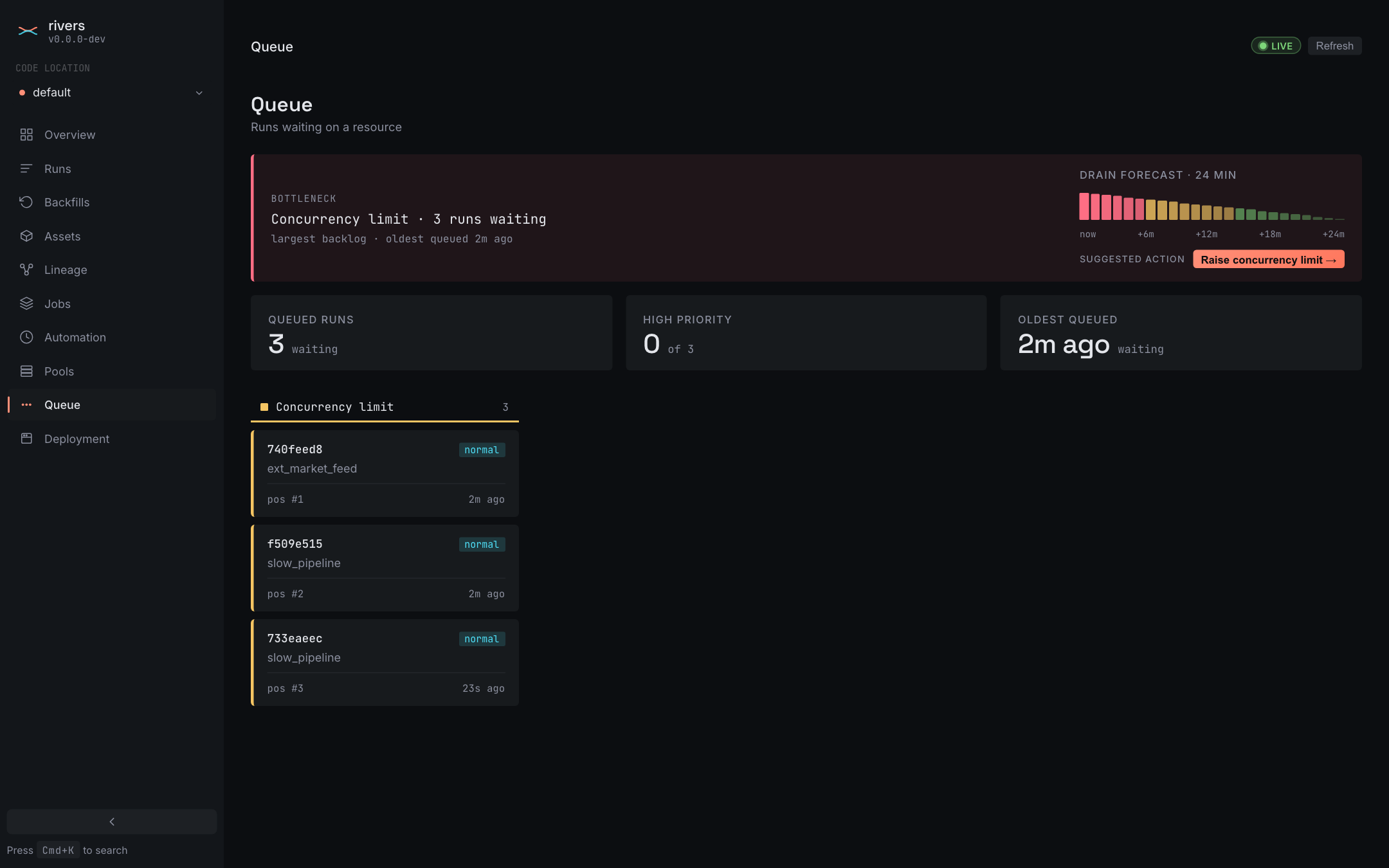
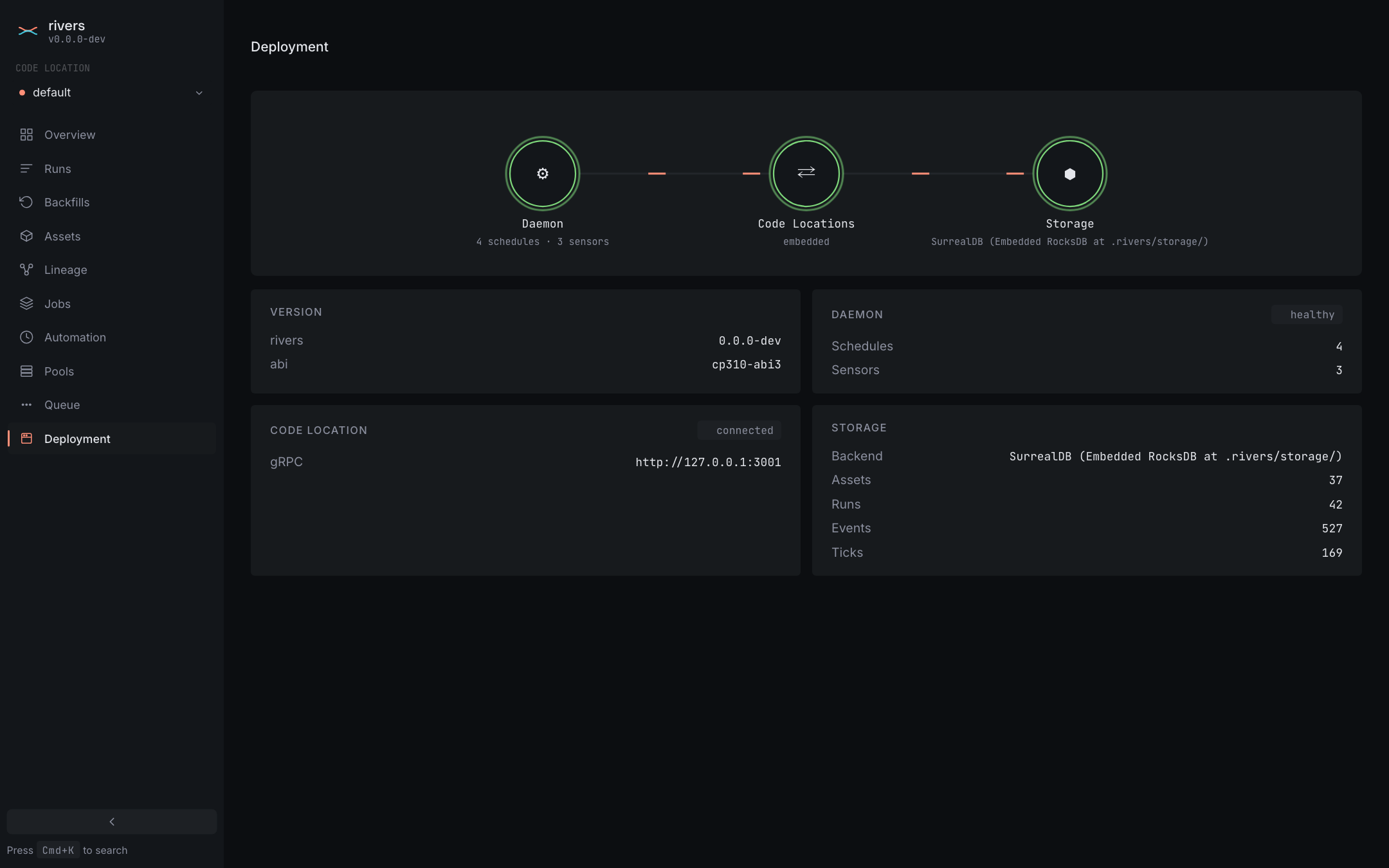
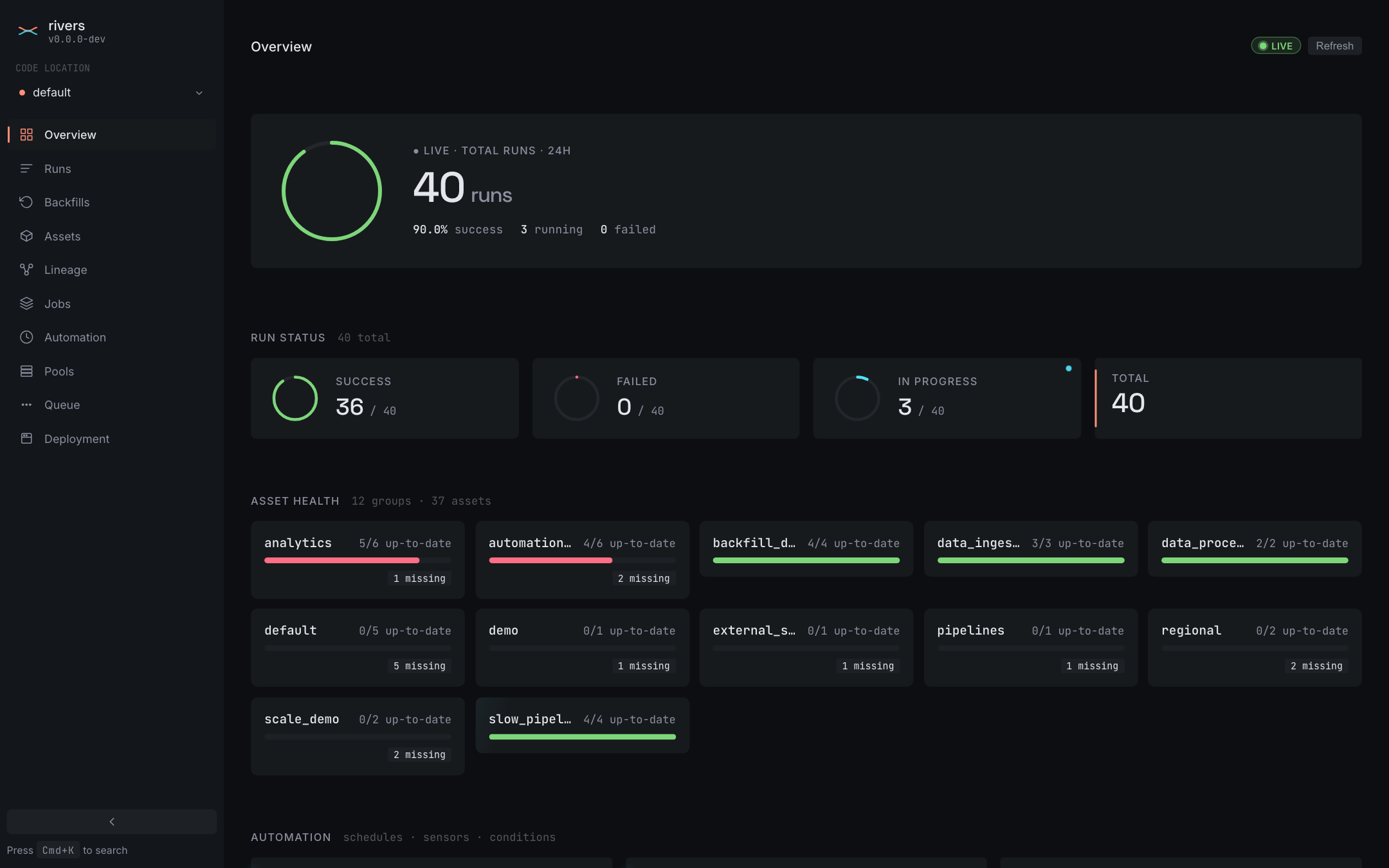
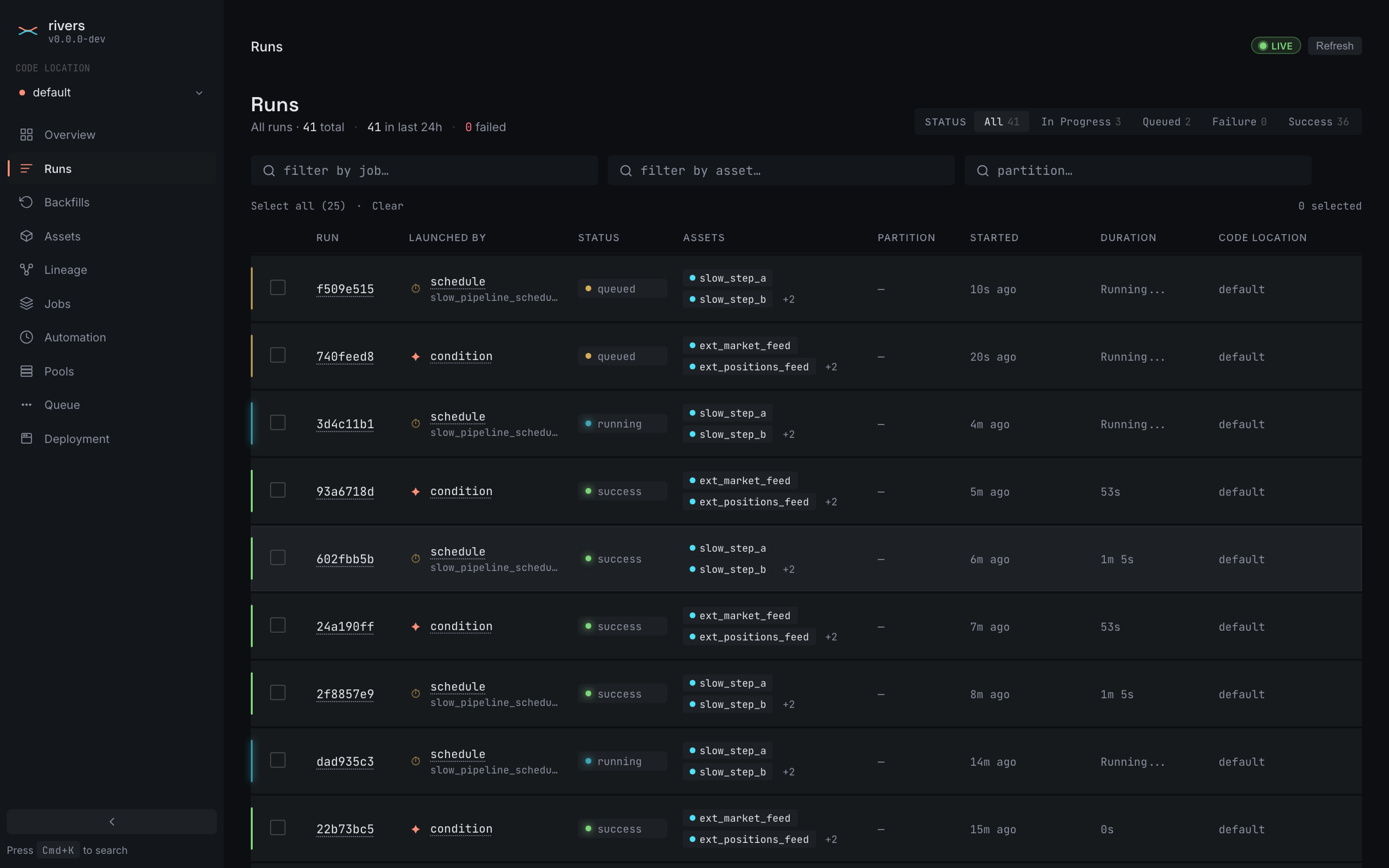
Every screen below is Rust — Leptos server-side rendering with WebAssembly hydration, on axum. Run state, materializations, and automation ticks stream over server-sent events, so there is a live indicator instead of a refresh button.

Kubernetes is the control plane

Registering a code location is one kubectl apply. The operator resolves the tag to an immutable digest, reconciles a Deployment and Service, and registers the endpoint for the UI to discover.

There is no workspace file to maintain, no "add code location" flow in the UI, and no agent process to register against. Delete the resource to remove it.

Install on Kubernetes
codelocation.yaml
apiVersion: rivers.io/v1alpha1
kind: CodeLocation
metadata:
  name: analytics
spec:
  image: ghcr.io/acme/pipelines
  tag: v0.2.0
  module: pipelines.analytics

Your first asset, in minutes

Install the package, decorate a function, and materialize it.